
Challenge
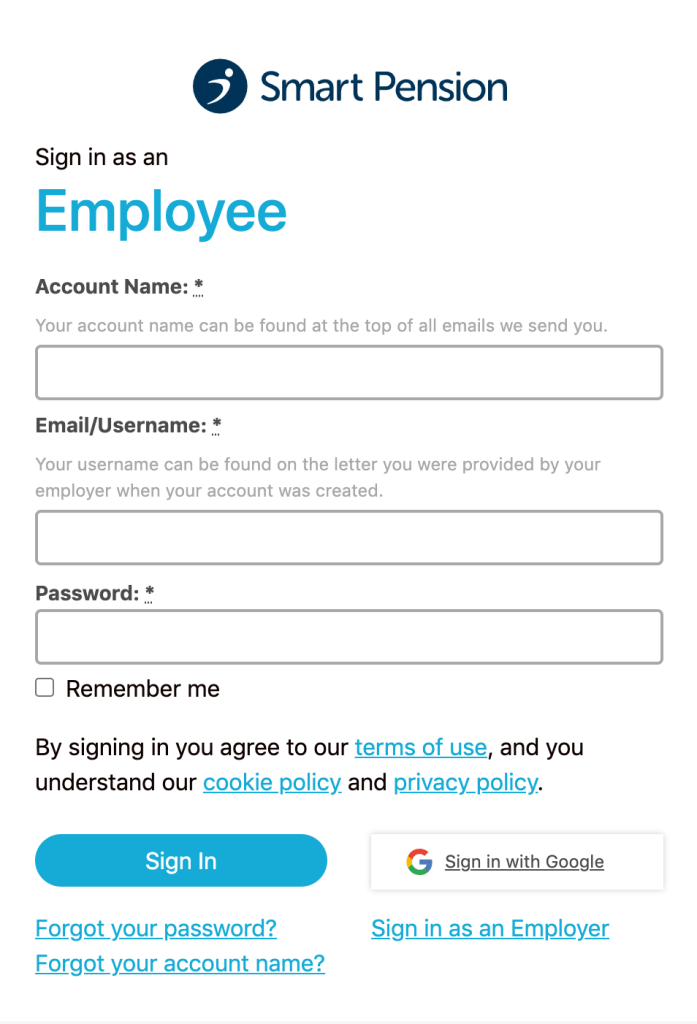
We knew that one of the biggest pain points for the pension platform’s members was signing in.
The customer service team reported that, within a 3 month period, helping users to sign in accounted for 6% of all their calls, 8% of all their online contact and 12% of all the emails to their team.
Members were quoted saying that the “account name” field was confusing. It wasn’t clear this was the field that identifies the employer who set up the workplace pension for them.
We explored this further by looking at Google Analytics
- 50% of employees and 30% of employers on the sign in form weren’t making it to the next step.
- 25% of the total users received an account name error or, had forgotten their account name.
Approach
I worked on this in collaboration with a UX designer and a UI designer.
By letting a user sign in with details that are easier to remember (their email address and password) they are more likely to sign in successfully. So we removed the need for entering an account name altogether.
In addition to this, some users may have multiple accounts tied to one email address. For example, if they have had more than one employer who has used the pension platform. Or if they are both the employer and an employee for the same company.
Outcome
We reorganised the flow so that when a user enters their email address and password, it will show them all of their accounts.
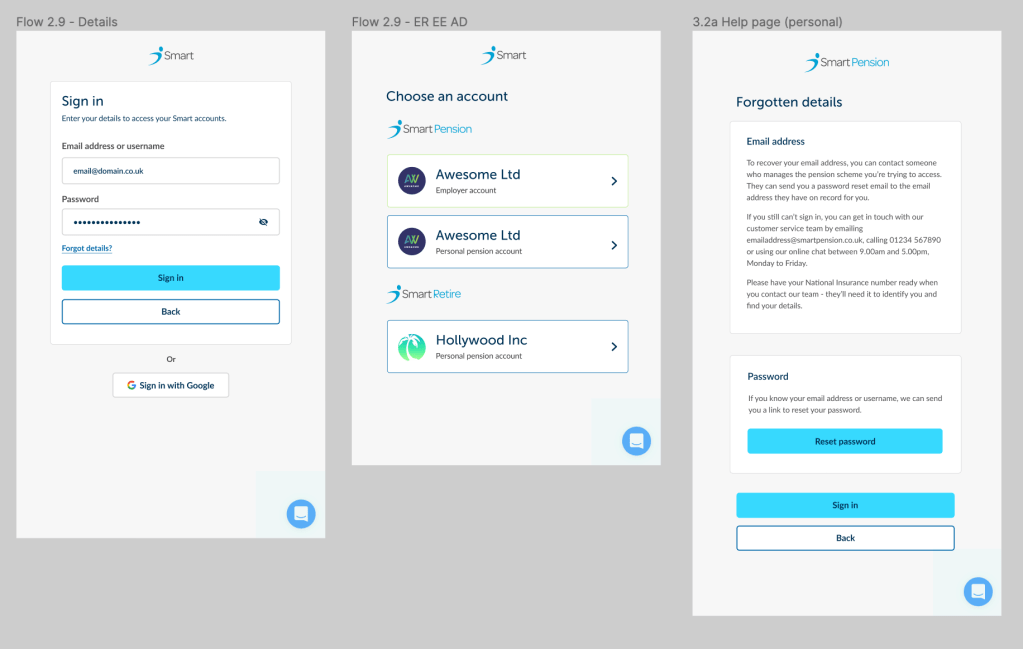
However, upon consulting with engineering, both front and back end claimed it wasn’t possible to implement this. So we decided to just focus on helping the user retrieve their account name.
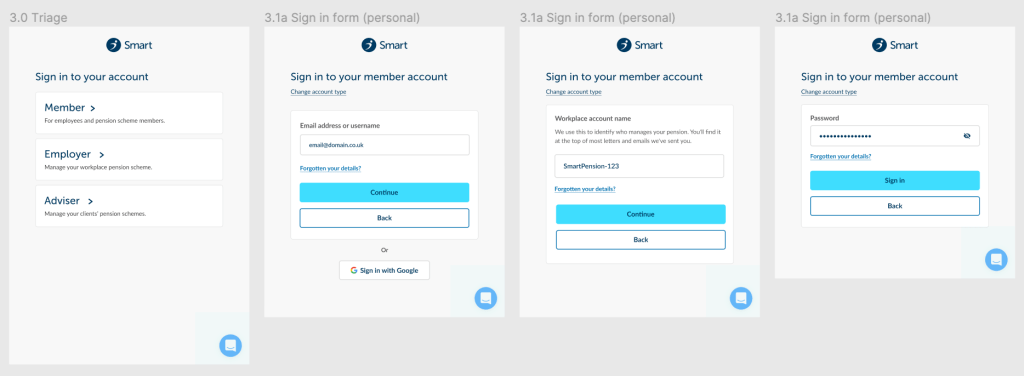
A user can’t retrieve their account name without first knowing their email address. Therefore we needed to make sure they knew their email address first. We also needed to add a triage for the user type to the start of the flow to work with the engineering restrictions.
 Conni Watson